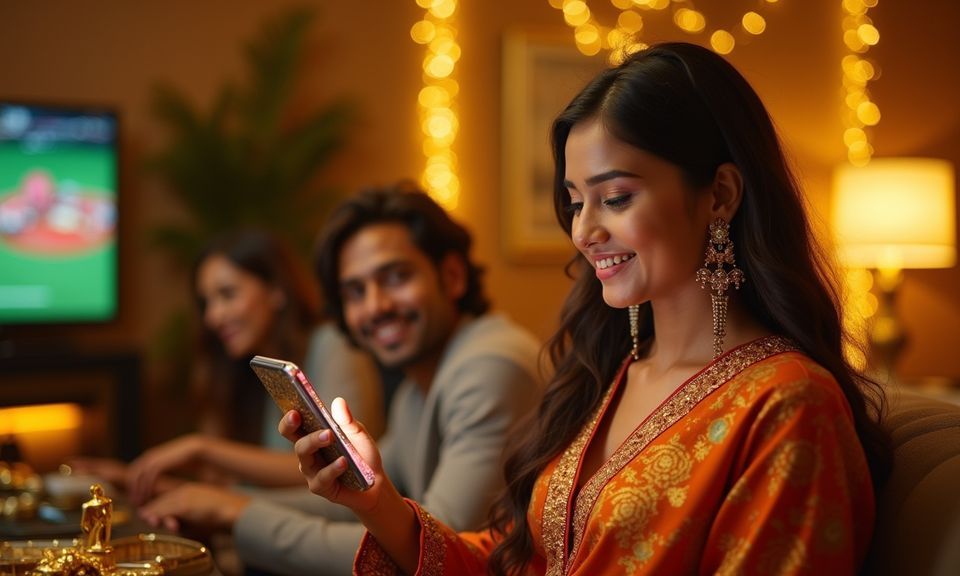
The 89bd1 app experience runs through your mobile browser — no store listing needed to reach live tables, slots or the sportsbook. Open the site on any current Android or iOS browser, sign in to your account, and the layout adjusts to your screen so nothing is hidden behind a desktop-only menu.
Mobile browser access
Account wallet on screen
Device-adjusted layout
Availability depends on local law and eligible regions
Getting into the 89bd1 lobby from your phone does not require a download from any app store. The site is built to load correctly in the browser you already have. Start by opening the current 89bd1 address directly — do not search through a third-party link, because the domain shown in your browser bar is the only address we publish. Once the page loads, tap the sign-in field and enter your registered credentials. The lobby — including live casino tables like Baccarat Golden and Dragon Tiger Fast Table, plus crash games and slots — will open inside the same browser window. Your account wallet, transaction history and support access all appear through the standard menu. If a screen looks broken, switching to Chrome or the default Samsung browser on Android typically resolves it.
Open 89bd1 in your browser
Type the address directly into your mobile browser bar. Verify the domain matches 89bd1 before entering any credentials.
Check your browser is current
Chrome, Firefox or the default browser on recent Android and iOS devices all render the lobby correctly. An outdated browser may show layout gaps.
Sign in to your account
Use your registered email and password. The account dashboard opens immediately and shows your wallet balance, game history and the current lobby.
Explore the lobby from the menu
The mobile menu gives you direct routes to live tables, slots, crash games and the sportsbook. All sections are reachable without returning to a desktop view.
DEVICE CHECK LIST
What Your Device Needs to Run 89bd1
The 89bd1 mobile experience is browser-based, so compatibility comes down to the browser version and screen size rather than a specific operating system build. We have not published a minimum RAM figure or storage requirement because no native install file exists to test against. What matters is that your browser can run modern JavaScript and handle a responsive layout — most phones sold in the last three years do this without any settings change. If you are unsure whether your device will work, open the site and watch whether the lobby menu appears cleanly. That visual check is more reliable than any spec list we could publish, because browser rendering depends on the browser version you have installed, not the phone model alone.
Browser version
A current version of Chrome, Firefox or Safari handles the lobby layout correctly. We do not publish a minimum version number because browser updates vary by device; keeping auto-update on is the reliable approach.
Screen layout check
On screens smaller than five inches, some table-game panels compress. Rotate to landscape if a live table like Live Roulette Wheel appears cut off on your screen.
Account requirements
You need a registered 89bd1 account to access the full lobby. The registration fields and identity verification steps are shown on the account creation page; follow the instructions displayed there.
Supported devices — how to check
No official device-support list is currently published. The practical check is to load the site and confirm the menu, lobby tiles and wallet section all appear. If they do, your device is compatible.
Connection stability
Live table games like Dragon Tiger Fast Table stream video in real time. A stable mobile data or Wi-Fi connection reduces interruptions during live sessions.
APP HELP PATHS
Help When the App Access Breaks
If the mobile browser session drops, a page fails to load or the wallet section is not showing your balance correctly, the quickest path to a fix is through our live support chat — accessible from the same browser window without signing out. For account-level issues, such as a login that is not completing or a wallet that is not reflecting a recent bKash or Nagad transaction, the support team can check the account record on their end. We also maintain a help section reachable from the site footer; the pages there cover common browser-access problems and account-recovery steps. Do not close your browser session before speaking to support, because the session token helps the team locate the specific issue faster.
Live support chat
Available directly in the mobile browser window. Tap the chat icon in the site menu and describe the access issue. The team can check your account session and wallet status without you needing to reload the page.
Email support
For issues that need a written record — such as a wallet discrepancy after a Nagad or Rocket transaction — use the email address listed on the Contact page in the site footer. Include your account username and a description of the problem.
Help page — browser access
The help section in the footer covers browser compatibility, sign-in problems and account recovery. These pages are updated when access behaviour changes, so they reflect the current state of the mobile site more accurately than cached third-party sources.
MOBILE TRUST CHECKS
Stay Safe When Accessing on Mobile
Mobile browser access removes the file-signing step that a native app would provide, which means the domain you type is the primary trust signal. We publish one address — 89bd1 — and any other URL claiming to be our app or mobile site is not from us. Beyond the address bar, your account credentials are the second layer of protection: use a password you have not shared with any other service and change it through the account settings page if you suspect it has been exposed. The session timeout we apply means the site will ask you to sign in again after a period of inactivity, which reduces risk on shared devices. Recovery steps if you lose account access are listed on the sign-in page under the login fields.
Verify the domain first
Before typing any credentials, confirm the browser bar shows 89bd1 and nothing else. A slight misspelling in the address can lead to an unrelated site. Bookmark the correct address after your first successful login.
Check published device guidance
Any device or browser guidance we issue is published on the site itself — in the help section or through the support chat. Do not rely on social-media posts or third-party channels that claim to be 89bd1 device instructions.
Protect your account credentials
Your email address, password and wallet PIN are account-level secrets. Support staff will never ask for your password during a chat session. If someone does, end the conversation and report it through the email contact.
Use the published recovery path
If you cannot sign in, use the recovery link on the login page — not a third-party reset service. The recovery flow will send a verification step to your registered email address, as shown on that page.
WHAT THE APP DELIVERS
Inside the 89bd1 Mobile Experience
The mobile site is structured so that the sections a logged-in account holder uses most — the game lobby, the wallet and support — are reachable in two taps from the main menu. Game discovery works through category tabs: live casino (including Baccarat Golden and Blackjack TableChamp), slots from studios like Bigtime Gaming and Habanero, crash games such as Crash Hyper, and the sportsbook where cricket markets sit alongside football. The wallet section shows your current balance and links to the deposit and withdrawal pages where bKash, Nagad and Rocket appear as configured options for supported accounts. Account help pages load in the same browser window without redirecting you to a separate application. What the mobile site does not currently offer — because we have no verified evidence for these — includes push notifications, biometric login and offline game access.
BROWSER FEATURE SET
Mobile Page Features You Can See and Use
These are the behaviours visible in the mobile browser version of 89bd1 — described as they currently render, not as projected capabilities. Each one is checkable by opening your account on any supported device.
Responsive navigation menu
The main menu collapses into a tap-accessible panel on narrow screens. Category tabs for live casino, slots, crash games and sportsbook remain in the same positions whether you are on Android or iOS.
Account wallet access
Your wallet balance, deposit history and withdrawal records are visible under the account section without switching to a desktop view. The current state of any transaction is shown there after login.
Game lobby browsing
Lobby tiles for titles including Live Roulette Wheel, Football Quickstrike and slots from CQ9 and Spadegaming load as tappable cards. Tapping a tile opens the game in the same browser window.
Help and contact pages
Support chat, the help article section and the email contact link all render correctly on mobile. You do not need to request a desktop version of the site to reach them.
APP ACCESS FAQ
Common Questions About 89bd1 App Access
These answers cover what we can confirm about mobile access to 89bd1 right now. Anything we cannot verify — such as a native store listing or an APK file — is noted as unconfirmed rather than assumed.
Is there an official 89bd1 app I can download from Google Play or the App Store?
No native app listing on Google Play or the App Store is currently verified for 89bd1. Access the full lobby by opening 89bd1 in your mobile browser. Avoid any third-party APK files claiming to be our app — we have not published one.
Which browser works for the 89bd1 mobile site?
Chrome and Firefox on Android, and Safari on iOS, all render the lobby correctly on current versions. The default Samsung browser also works on most recent Galaxy models. Keeping your browser updated is the most reliable way to avoid layout issues.
Can I deposit through bKash or Nagad from the mobile browser?
The deposit page — reachable through your account wallet — shows the payment options configured for your account, including bKash, Nagad and Rocket where supported. Follow the steps and limits displayed on that page; do not use amounts outside the range shown.
Why does the live table look cut off on my phone screen?
Live tables like Dragon Tiger Fast Table and Live Roulette Wheel use a wide video panel. Rotating your phone to landscape mode usually resolves the cut-off. If the problem continues, try clearing your browser cache and reloading the page.
How do I recover my account if I cannot sign in on mobile?
Use the recovery link directly below the sign-in fields on 89bd1. A verification step will be sent to your registered email address. Follow the instructions shown on that page. Do not use any recovery tool from a source outside the site.
Does the 89bd1 mobile site support cricket betting from my phone?
The sportsbook section — including cricket markets covering BPL and international matches — is accessible through the mobile menu after sign-in. Availability depends on local law and the eligible regions shown at the time you open the market.
 Slots / Casino